
Prompt guide
Complete guide for Person as Singer
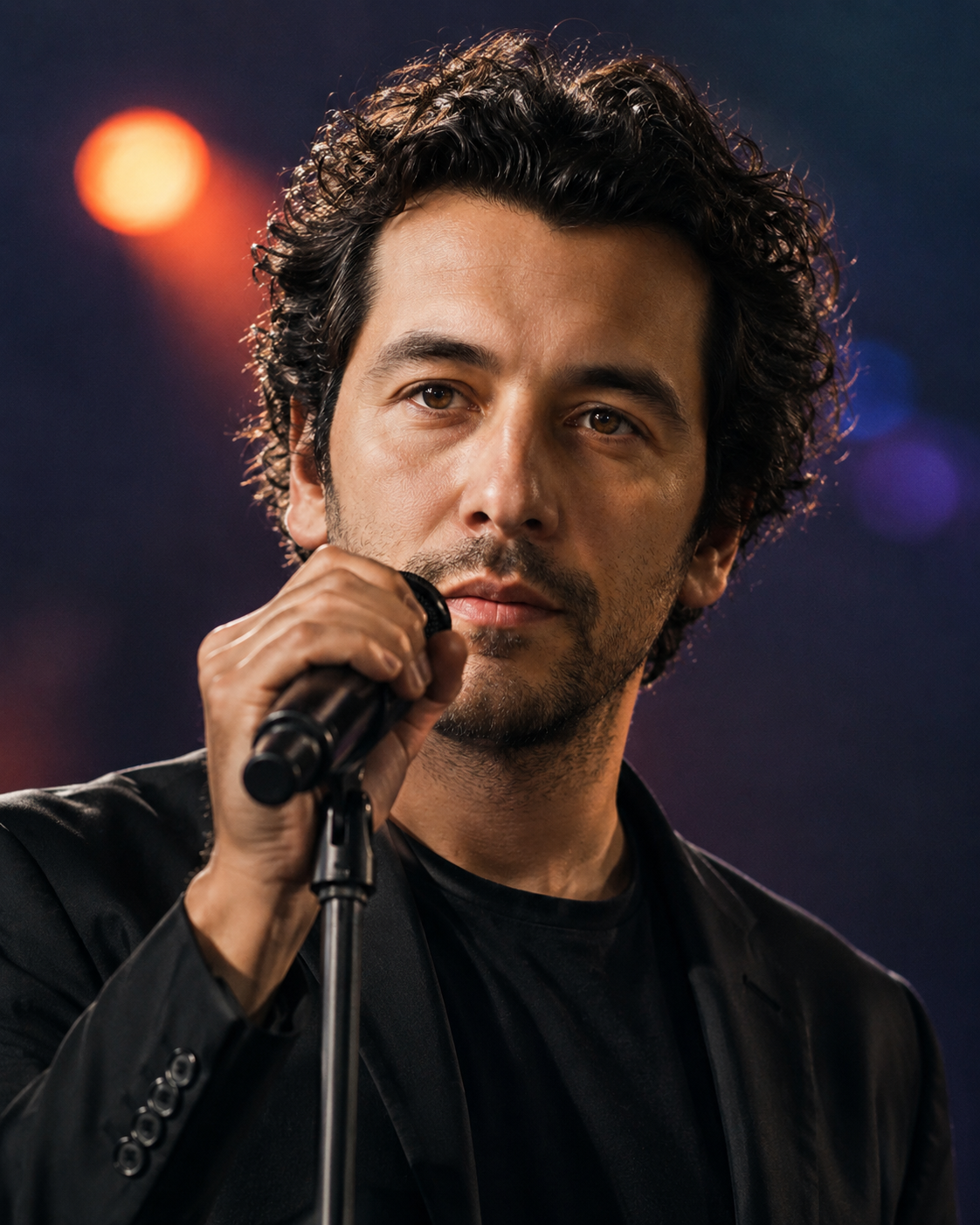
This AI prompt template transforms a real person photo into a professional singer portrait while keeping the person's identity recognizable. It is designed for image-to-image generation, so the uploaded photo is not treated as a loose inspiration reference. It becomes the main identity anchor for the final image. The prompt tells the AI to preserve the person's facial structure, hair, skin tone, facial hair, eye shape and natural details, then rebuild the scene around them as if they were a music artist performing on stage or posing for a professional artist campaign.
The template is especially useful because singer portraits can easily become generic when the prompt is too short. A simple instruction like "make this person a singer" often produces a random performer, changes the face, adds unrealistic microphones, creates poster text or makes the result look like a costume instead of a believable artist image. This structured prompt avoids those problems by separating identity preservation, singer styling, lighting, background, wardrobe, expression, camera treatment and negative prompts into clear sections.
Users can choose between several music-artist directions. The cinematic stage singer option creates a realistic live-performance portrait with concert lighting, a microphone and a premium stage atmosphere. The pop artist option is cleaner and more promotional, suitable for press-kit style images or profile visuals. The rock vocalist option adds stronger contrast, darker styling and a more intense live-show mood. The indie acoustic option creates a warmer and more intimate singer-songwriter feeling. The festival headliner option gives the image a bigger concert identity with stronger stage lights and more energy.
The performance mood selector gives another layer of control. A confident mood works well for profile images, hero visuals and professional artist branding. An emotional mood is better for intimate songs, acoustic concepts or dramatic portraits. An energetic mood creates more movement and power, while the elegant mood is ideal when the user wants a refined, iconic image that could work for an album campaign or social media launch.
This prompt is built for realistic, cinematic results. It asks for sharp face focus, shallow depth of field, stage bokeh, believable wardrobe, natural skin texture and realistic interaction with a microphone. It also protects the image from common AI problems such as broken hands, distorted microphones, fake text, unreadable logos, celebrity replacement and identity drift. The result should feel like the same person has stepped into a music-performance world, not like the image has been replaced with a random singer stock photo.
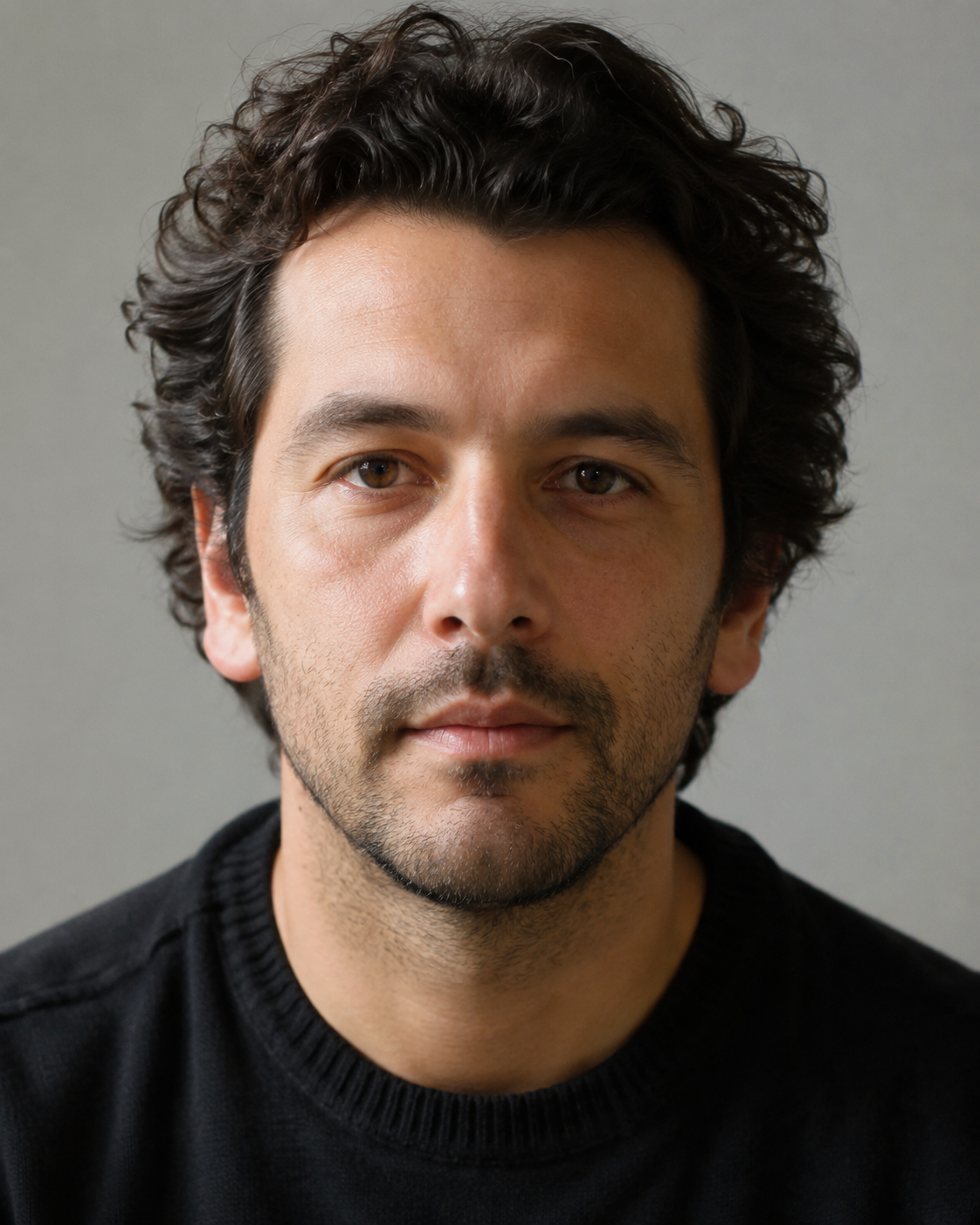
For best results, users should upload a clear portrait where the face and hair are visible. A front-facing or slightly angled image usually works better than a distant full-body photo. The AI can change clothing and background, but it needs enough facial detail to preserve identity. When the source image is clean, this template can create polished singer portraits suitable for creative profiles, social media, mock artist campaigns, personal branding, music concepts, fun transformations and professional-looking visual experiments.
How to use this prompt
- 1
Upload a clear portrait of the person you want to transform. The best photo is sharp, well lit and shows the face, hair and natural features without sunglasses, masks or heavy shadows. The prompt uses this image as the identity reference, so a clean input photo will usually produce a much more recognizable singer portrait.
- 2
Choose the singer style and performance mood before copying the prompt. The singer style controls the visual world: cinematic concert, pop artist, rock vocalist, indie acoustic singer or festival headliner. The mood controls the attitude of the person, such as confident, emotional, energetic or elegant.
- 3
Copy the generated prompt into your AI image tool together with the uploaded person image. Keep the full structured prompt, including the identity preservation rules and the negative prompt, because those sections help prevent the AI from changing the face, adding unwanted text or creating unrealistic microphones and hands.
Best use cases
Use this prompt to create a music-artist version of a person for social media, profile images, creative portraits or personal branding. It is ideal when you want the person to look like a singer without losing their real facial identity.
This template is useful for mock album campaigns, fictional artist concepts, music thumbnails, playlist visuals or promotional-style images. It gives a structured result faster than writing a long prompt manually and helps keep the image consistent across regenerations.
It also works well for fun transformations, gifts, creative experiments and themed portraits. A person can be turned into a rock singer, pop artist, indie performer or concert headliner while still looking like themselves.
Tips for better results
Use a source photo where the person's face is close enough to see detail. A cropped portrait usually works better than a distant full-body image because the AI has more information to preserve the person's eyes, nose, mouth, hair and facial structure.
Choose the style based on the final use. For a profile image, cinematic stage singer or pop artist portrait usually works best. For a more dramatic image, choose rock vocalist. For a warmer and more natural mood, choose indie acoustic singer.
If the first result is close but not perfect, regenerate with the same prompt before changing too many options. If the face is less recognizable, use a clearer input photo. If the image feels too static, select a more energetic mood or a wider aspect ratio.
Common mistakes to avoid
A common mistake is uploading a blurry or heavily filtered photo. If the AI cannot clearly read the person's facial features, it may create a singer who looks similar in style but not truly like the uploaded person.
Another mistake is deleting the identity preservation rules or the negative prompt. Those sections are important because they reduce identity drift, prevent fake text and help avoid broken hands, distorted microphones or celebrity-like replacements.
Avoid adding too many extra requests after the generated prompt. Asking for crowds, instruments, album text, logos, special effects and complex stage scenes all at once can distract the AI from the main goal: a clean, realistic singer portrait of the same person.
Final recommendation
This prompt is best used when you want to turn a real person into a believable professional singer while preserving their identity. Start with a clear portrait, choose the singer style that matches your creative goal and keep the full structured prompt intact. The detailed identity, lighting, composition, wardrobe and negative prompt rules help the AI produce a more polished music-artist image with fewer distortions and better consistency.