
Prompt guide
Complete guide for Person with Squirrel
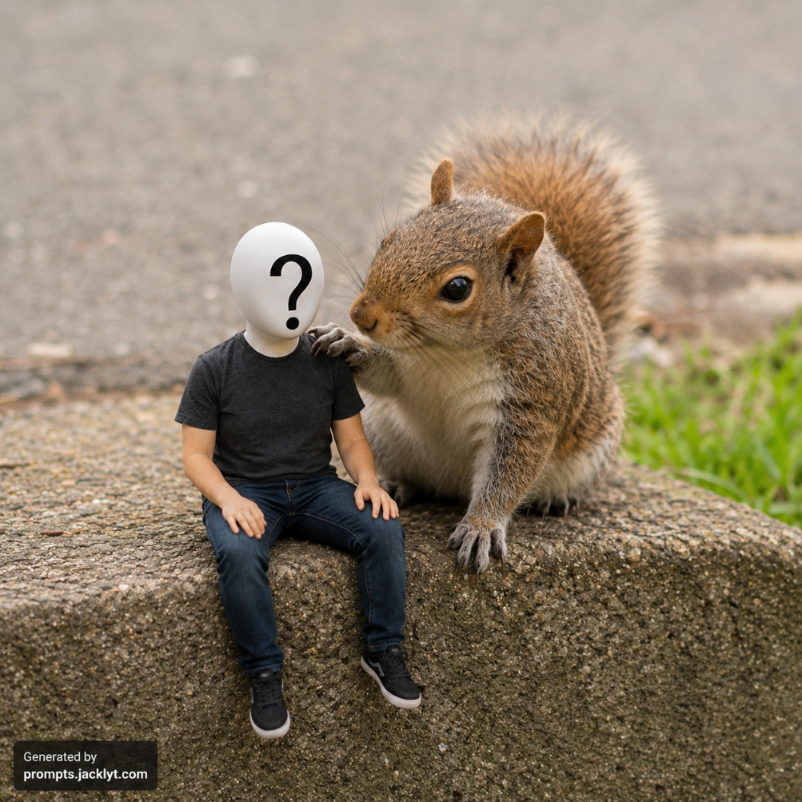
The Person with Squirrel prompt is designed to create a funny, realistic and cinematic image where a real person appears as a tiny miniature human sitting beside a squirrel. The goal is not to create a random fantasy scene, but a believable photo-style composition that feels as if the person and the squirrel were actually sharing the same small space. This makes the prompt especially useful for humorous AI image transformations, viral social media posts, playful profile images and surreal but friendly photo edits.
What makes this prompt work well is its focus on two separate visual references. The first image provides the person's identity, face, hairstyle, expression and overall appearance. The second image provides the squirrel, the scale reference and the environment where the final scene should happen. Instead of asking the AI model to invent everything from scratch, the prompt gives it a clear structure: preserve the person, use the squirrel environment, reduce the person to a tiny scale and make both subjects interact naturally.
This type of prompt is ideal when you want a funny result without losing realism. Many AI image edits fail because they either change the person's face too much, create a cartoonish look, place the subject in an impossible position or ignore the lighting of the original photo. This template avoids those problems by giving strict face preservation rules, clear composition instructions and strong negative prompts. The person should remain recognizable, while the scene becomes exaggerated, charming and visually surprising.
The most important part of the prompt is identity preservation. The generated person should still look like the original uploaded person. Their face, expression, skin texture, hairstyle and main identity traits should remain intact. The transformation should only affect scale and placement, not who the person is. This is especially important for AI tools that tend to beautify, stylize or reinterpret faces automatically. The prompt explicitly tells the model not to modify, deform, stylize or replace the person's face.
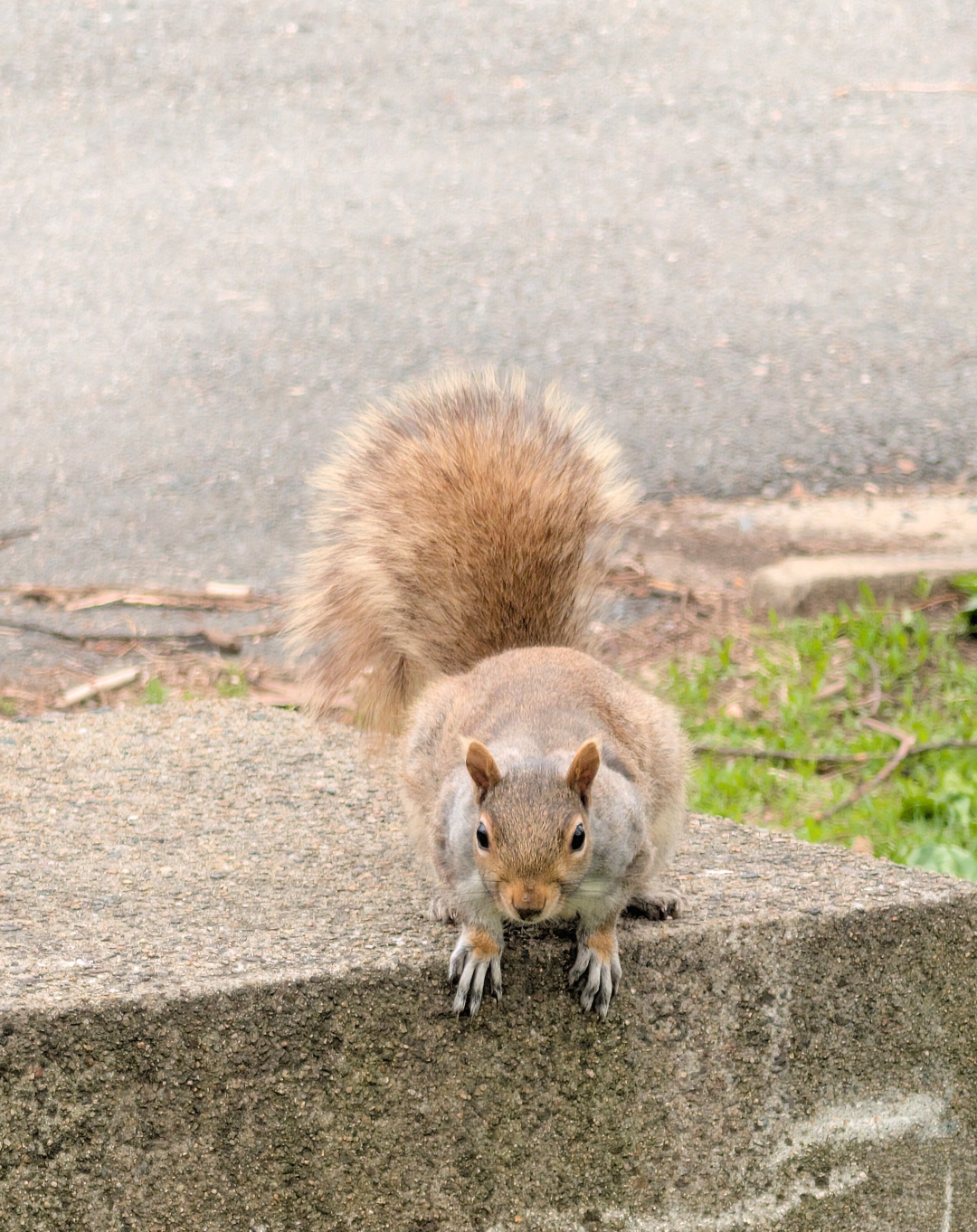
The second key element is environmental realism. The prompt asks the AI to use the squirrel image as the base environment. This helps the final result feel more cohesive because the lighting, background, surface and perspective come from the animal photo. The person is not simply pasted into a random location; they are placed beside the squirrel on the same curb, ledge, sidewalk edge, wooden border, stone edge or similar surface. This gives the image a stronger sense of physical presence.
The squirrel interaction also makes the image more memorable. Instead of having the tiny person and squirrel simply appear side by side, the prompt asks for a friendly gesture, such as the squirrel gently placing one paw on the person's leg, shoulder or back. This small detail creates a heartwarming storytelling moment. The result feels less like a technical edit and more like a tiny cinematic scene about an unlikely friendship.
This prompt works best when the person photo is clear and the squirrel image has a strong visible environment. A close-up portrait of a person can work, but a full-body or seated pose often produces a more natural result. The squirrel image should ideally show the animal resting on a visible surface, because the prompt depends on placing the miniature person beside it. If the squirrel is floating, heavily cropped or surrounded by visual clutter, the final composition may be less believable.
The style and aspect ratio fields let users adapt the result to different creative goals. A square aspect ratio can work well for profile images or social posts. A vertical aspect ratio is better for reels, stories and mobile content. A cinematic horizontal format can make the result feel more like a movie still. The selected style can also influence whether the final image feels more realistic, dramatic, warm, editorial or playful.
This page is useful for anyone who wants a ready-made AI prompt for a person with a squirrel scene without manually writing detailed instructions. It gives the AI model the context it needs to combine two images, protect the person's identity, maintain realistic lighting and create a humorous miniature effect. For best results, use clear source images, avoid overly busy backgrounds and keep the full generated prompt intact when pasting it into your AI image tool.
How to use this prompt
- 1
Upload a clear photo of the person as the first image. The face should be visible, sharp and well lit, because this image controls identity preservation.
- 2
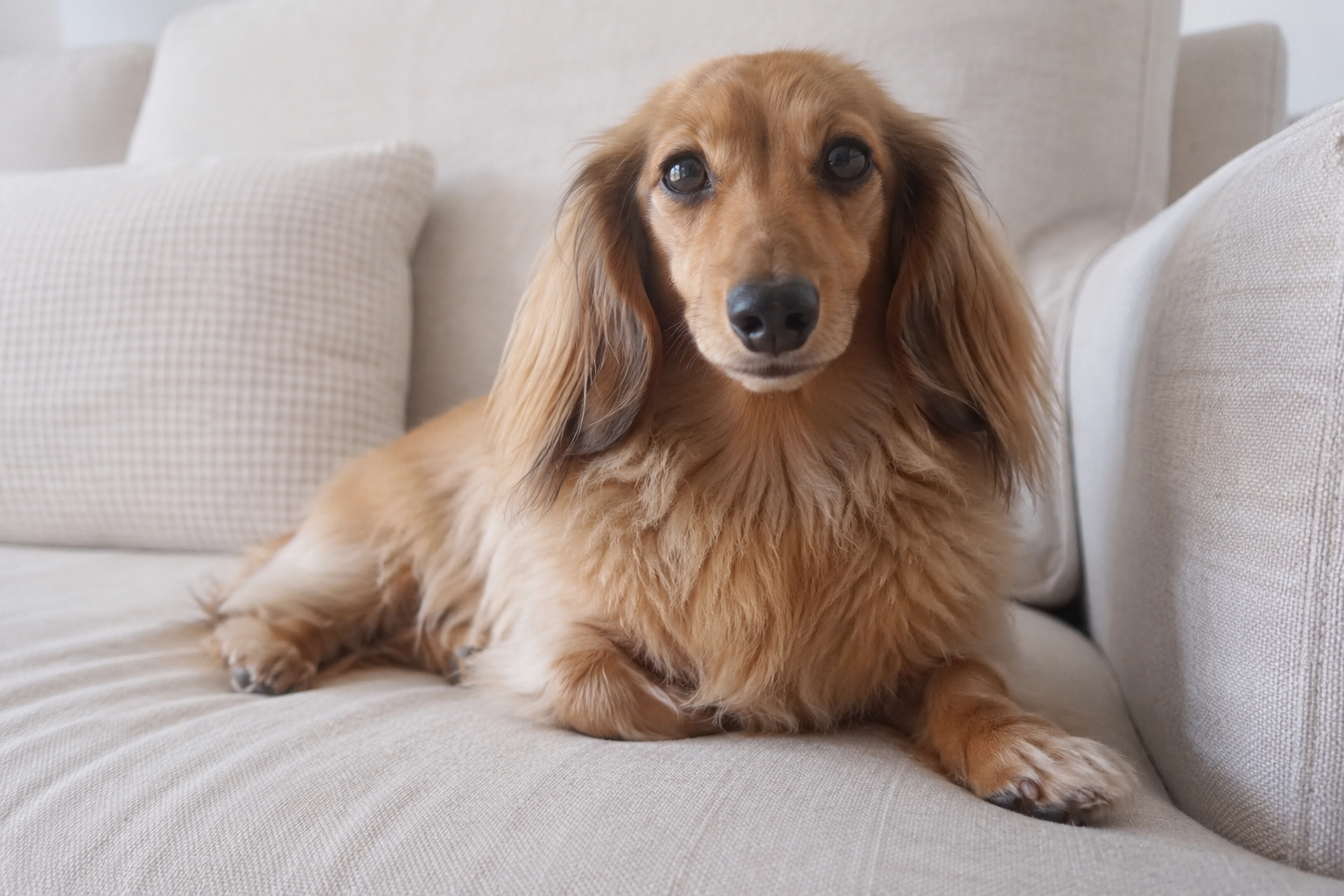
Use the squirrel reference as the second image. The best results come from squirrel photos where the animal is sitting on a visible surface such as a curb, ledge, branch, stone or wooden edge.
- 3
Choose the visual style that matches the final mood. For a believable viral image, select a realistic or cinematic style. For a more playful result, choose a warmer or more humorous style.
- 4
Select the aspect ratio according to where the image will be used. Square works well for posts and avatars, vertical works well for mobile content, and horizontal works well for cinematic scenes.
- 5
Copy the complete generated prompt and paste it into your AI image generation tool together with the required images. Avoid deleting the negative prompt or validation rules, because they help prevent distorted faces, wrong scale and messy compositions.
Best use cases
Creating funny AI images where a real person appears as a tiny character next to a giant-looking squirrel.
Making surreal but realistic social media posts that feel playful, heartwarming and visually surprising.
Producing humorous profile pictures, reaction images, memes or creative edits while keeping the person's face recognizable.
Testing image-to-image AI tools with a prompt that requires identity preservation, scale transformation and realistic environmental blending.
Generating charming fantasy-realism scenes without creating a fully cartoonish or unrealistic result.
Tips for better results
Use a person photo with a visible face and natural expression. If the face is blurry, covered, cropped or too far away, the AI model may struggle to preserve identity.
Prefer squirrel images with a clear surface. The prompt works especially well when the squirrel is already sitting or resting somewhere, because the miniature person can be placed beside it more naturally.
Keep the full prompt structure. The face preservation rules, composition rules and negative prompt all work together to reduce common AI errors.
Generate more than one version. Small differences in pose, lighting, paw placement and facial consistency can change the quality of the result significantly.
If the first result looks pasted or artificial, try a more realistic style and a squirrel image with stronger natural lighting and clearer shadows.
Common mistakes to avoid
Using a low-quality selfie with poor lighting. The prompt can ask for face preservation, but it cannot fully recover identity from a dark, blurry or heavily filtered photo.
Choosing a squirrel image with no usable environment. If the squirrel is tightly cropped or there is no visible surface, the AI may invent a background that feels less realistic.
Removing the instruction that the person must be tiny. Without this rule, the AI may create a normal-sized person beside a normal squirrel instead of the intended miniature scene.
Asking for too many extra elements at once. Adding text, props, extra animals, fantasy effects or complex backgrounds can make the composition messy and reduce realism.
Ignoring the negative prompt. The negative prompt helps prevent distorted faces, extra limbs, duplicated people, bad anatomy, text artifacts and other common AI image problems.
Final recommendation
The Person with Squirrel prompt is a strong choice when you want a funny AI image that still feels polished and believable. It combines identity preservation, miniature scale, realistic lighting and a friendly animal interaction into one structured prompt. For the best result, start with a sharp person photo and a squirrel image with a clear environment, then keep the full prompt intact when generating. The final image should feel humorous, cinematic and charming while still preserving the person's real face.