Best AI Pet Portrait Prompts for Better Results From Photos
Learn how to write structured AI pet portrait prompts that preserve your pet’s identity, improve style control and produce cleaner image results from a photo.
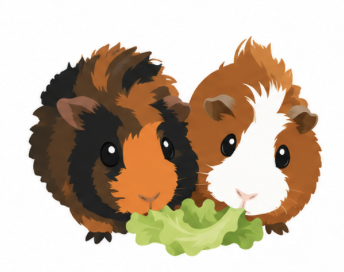
Pet portraits are one of the easiest AI image ideas to enjoy and one of the easiest to get slightly wrong. The model may create a cute animal, but not your animal. It may smooth the fur too much, change the eye shape, invent markings or turn a nervous-looking dog into a generic smiling puppy. A better pet prompt treats the uploaded photo as the anchor. The goal is not only to make a beautiful image. The goal is to keep the pet recognizable while changing the style, background, clothing or illustration treatment.
Start with recognition, then add style
Most pet prompts jump too quickly into style: watercolor, Pixar-like, royal portrait, sticker, cinematic studio photo. Those directions are useful, but only after the prompt explains what must stay the same. Breed-like traits, ear shape, muzzle length, eye expression, fur color and distinctive patches are the details that make the result feel personal. If the pet has one unforgettable detail, name it. A white patch over one eye, folded ears, a black nose with a pink spot, a long fluffy tail or a serious expression should be protected in the prompt.
- Use a clear front or three-quarter photo when identity matters.
- Mention fur color, markings, ear shape and expression explicitly.
- Avoid asking for too many props unless they are part of the idea.
- Choose one main style instead of mixing five aesthetics.
A pet portrait prompt that keeps identity
Use the uploaded pet photo as the main reference.
Create a polished studio portrait of the same dog, keeping the real fur color, white chest patch, folded ears, dark eyes and calm expression.
Composition: centered head-and-shoulders portrait, soft background, enough space around the head for cropping.
Style: warm editorial pet photography, natural fur texture, soft side light, gentle shadow.
Avoid: changing breed, extra pets, human face, cartoon eyes, fake smile, collar text, busy room, blurry fur.
Styles that work well for pet photos
The safest styles are the ones that change the finish without replacing the animal. A clean icon works well for avatars. A sticker style is good for playful sharing. A studio portrait feels more premium. A royal or fantasy version can be fun, but it needs stronger identity rules because the outfit and setting may distract the model from the pet. When the first result is close but not perfect, do not rewrite everything. Strengthen the identity sentence, simplify the background and regenerate. Pet prompts often improve more from clearer constraints than from a longer style description.
“A cute result is not enough if it no longer looks like the pet.”
Bad prompt vs better prompt
Weak:
Make my cat into a cute fantasy portrait.

Better:
Transform the uploaded cat into a soft fantasy portrait while preserving the same cat's face shape, green eyes, orange-and-white markings, short fur and slightly grumpy expression. Add a simple enchanted forest background with soft warm light. Keep the cat as the clear main subject. Avoid changing markings, extra cats, human clothing details, text, logos, deformed eyes or a crowded background.
Common mistakes with pet portrait prompts
- Using a blurry or tiny source image and expecting strong identity preservation.
- Asking for a costume, background, pose and style all at once without identity rules.
- Removing the negative prompt because the first result looks almost right.
- Choosing a style that hides the face when the face is the part you care about.
Where to start in Jacklyt
For a clean avatar, start with the pet icon template. For a more emotional result, use a portrait-style pet prompt and keep the background simple. If you want humor, add one playful idea at a time: outfit, setting or action, not all three together.
Frequently asked questions
What photo works best for an AI pet portrait?
Use a sharp image where the face, eyes, ears and markings are visible. Natural light usually works better than heavy flash.
Can I add clothes to my pet?
Yes, but keep the clothing simple and describe it as secondary. The pet should remain the main subject.
Why does the model change my pet's breed?
Usually because the style description is stronger than the identity rules. Add more specific preservation details.
Should I use a square format?
Square is best for avatars and icons. Use vertical for portraits and horizontal for scenes with a wider background.
Create a better pet portrait
Start with a structured pet template and keep the details that make your animal recognizable.
Explore pet prompts